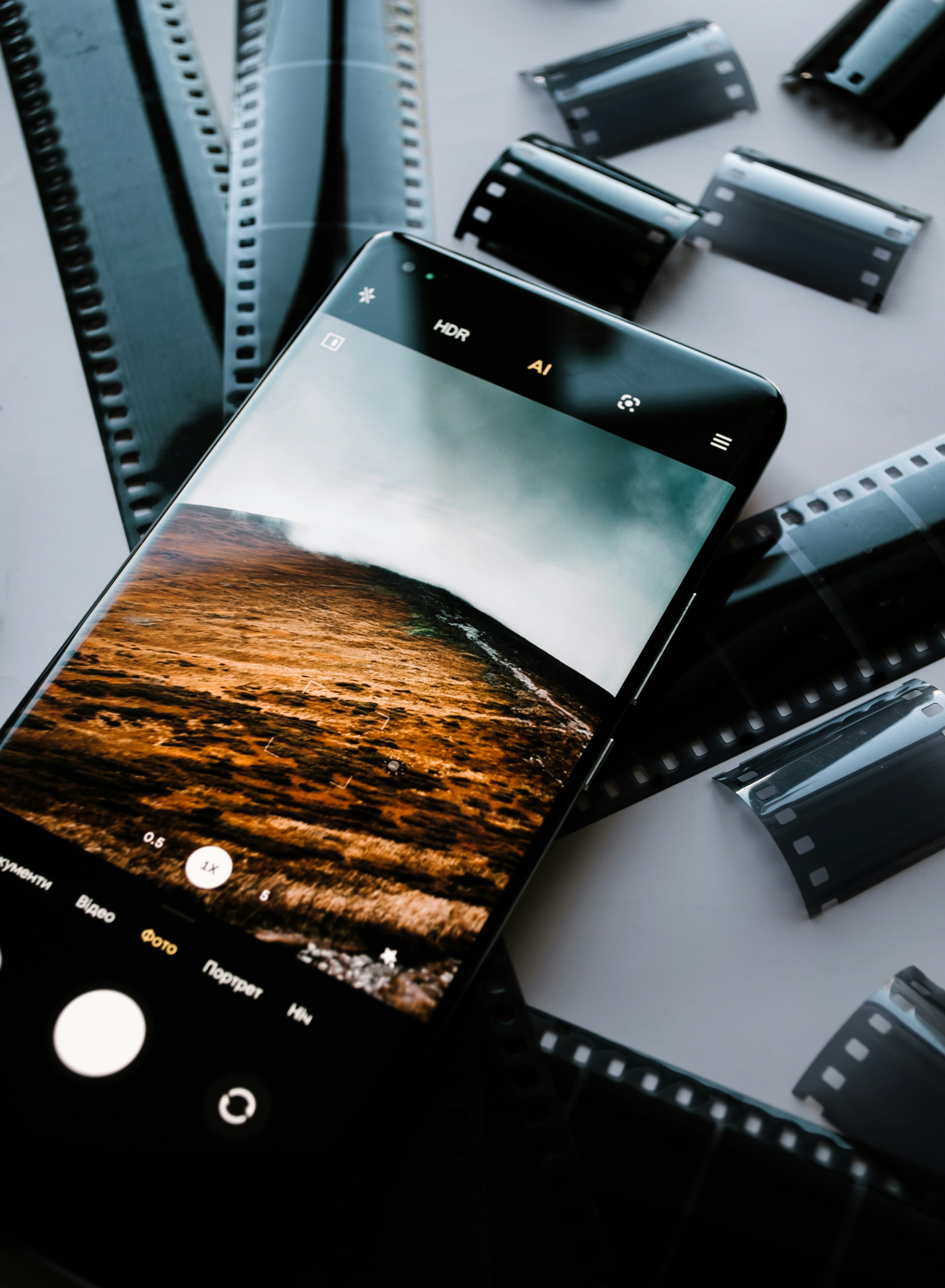
Understanding Your Phone’s Camera Settings
Modern smartphones come equipped with advanced camera features that cater to both novice and experienced photographers alike. To successfully capture stunning images, it is essential to understand and utilize the various camera settings available in your phone’s camera app. These settings include exposure, focus, white balance, and several others that can significantly enhance photo quality.
Exposure settings allow you to control the amount of light entering the lens. Adjusting the exposure can brighten or darken your images, preventing them from appearing washed out or too dark. Most smartphone cameras offer an intuitive way to modify exposure by simply tapping on the screen or sliding a finger across a scale. This function is crucial when taking photos in challenging lighting conditions, such as bright sunlight or low-light environments.
Focusing is another vital aspect of mobile photography. Ensuring that your subject is sharp and clear can make or break a photograph. Most camera apps allow you to tap on the screen where you want to focus, and some even offer advanced autofocus features. Utilizing manual focus options, if available, can provide further control, particularly in macro shots or when capturing fast-moving subjects.
White balance settings help in adjusting the color temperature of your photos, ensuring that the colors appear natural under various lighting conditions. Whether shooting outdoors during golden hour or indoors under fluorescent lights, selecting the correct white balance is essential for accurate color representation. Additionally, many smartphones feature grids and HDR options, which can be incredibly helpful in composing your shot and capturing images with a broader dynamic range.
By familiarizing yourself with these camera settings, you can effectively take control of your mobile photography. The ability to navigate your camera app and understand its key features empowers you to capture breathtaking images confidently and creatively.
Composition Techniques for Engaging Photos
Effective composition is a cornerstone of stunning mobile photography, as it enhances the emotional impact and visual appeal of your images. One of the most fundamental techniques is the rule of thirds, which divides the frame into a grid of nine equal parts. By positioning key elements along these lines or at their intersections, photographers can create a more balanced and engaging composition. For instance, when capturing landscapes, place the horizon along the upper or lower third line, which can draw the viewer’s eye and create a sense of depth.
Another powerful technique is the use of leading lines. These are natural lines within the scene that guide the viewer’s eye toward the main subject. Roads, paths, or even the edges of buildings can serve as leading lines that add a dynamic quality to your photographs. When using this technique, consider the placement of the lines to ensure they lead to a focal point, enhancing the visual journey for the viewer.
Framing is also an essential element in mobile photography. Incorporating natural frames, such as trees, arches, or windows, helps to isolate the subject and focus attention. This technique not only adds context but also introduces depth, making the subject stand out prominently in the photo. When framing, ensure that the edges of the frame enhance the composition rather than distracting from it.
Finally, understanding symmetry can elevate your mobile photography. Symmetrical compositions bring a sense of harmony and order, making them aesthetically pleasing to the viewer. Whether photographing architectural structures or natural formations, strive for a balanced arrangement that draws the eye. By applying these composition techniques, photographers can create visually compelling images that resonate with their audience and elevate their mobile photography skills.
Lighting: The Key to Outstanding Photos
In photography, lighting stands as a fundamental aspect that directly influences the quality and mood of the images captured. Understanding the role of light can elevate the results from mundane to extraordinary, making an otherwise ordinary scene come alive. When operating your mobile phone camera, it is crucial to consider the natural light’s direction, intensity, and temperature. The golden hours, just after sunrise and before sunset, offer soft, diffused light that is often regarded as ideal for photography. During these periods, the warm light casts gentle shadows, enhancing the texture and depth of your subjects, resulting in captivating photographs.
On the other hand, harsh midday sunlight can create stark shadows and overexposed highlights that detract from the overall composition of the image. To combat these challenges, utilizing shadows and highlights effectively can make a significant difference. Positioning your subject in relation to the light source can create interesting contrasts and add dimension to the photograph. Experimenting with backlighting can produce striking silhouettes that capture the viewer’s attention.
Shooting indoors poses its unique challenges, where artificial lighting may not replicate the quality of natural light. Here, it becomes essential to find windows or other sources of natural light and use reflectors to bounce light onto your subject. If shooting in low-light conditions, consider increasing the ISO setting on your camera or using a tripod to maintain stability and prevent motion blur. However, keep in mind that higher ISO settings may lead to more noise in the image, which can affect clarity.
By mastering how to manipulate light effectively, you can enhance your mobile photography significantly. Avoiding common pitfalls, such as harsh shadows or overexposure, will lead to beautifully balanced images that convey the desired mood and emotion. Developing a keen eye for light will not only improve your skill set but also transform your photography experience.
Editing and Enhancing Your Photos
In the digital age, taking a stunning photograph just with your mobile device is often not enough; the art of photo editing plays a significant role in bringing your images to life. Mobile photography can be greatly enhanced through various editing applications available on smartphones. These apps offer a wide range of features, making it easier for users to adjust their photos and achieve professional-looking results.
One of the fundamental aspects of photo editing involves adjusting brightness and contrast. Brightness alters the overall lightness or darkness of the photo, while contrast adjusts the difference between the light and dark areas. Both are essential in creating depth and highlighting the subject in your photography. Popular mobile applications like Adobe Lightroom and Snapseed provide intuitive sliders to make these adjustments easy and effective.
Color adjustment is another crucial element in photo enhancement. Manipulating saturation allows you to increase or decrease the intensity of colors within your composition. Striking a balance is vital; over-saturation can lead to unnatural images that detract from their overall appeal. Carefully calibrated color settings can help evoke the desired mood and atmosphere, enhancing the photograph’s emotive quality.
Sharpness adjustment is equally important, as it determines how clear and detailed the photograph appears. Well-sharpened images look more professional and engaging. However, care must be taken not to overdo it, as excessive sharpening can create unwanted artifacts. Filters can also be a tool for enhancement; they can alter the vibrancy and style without altering the fundamental characteristics of the image.
When applying filters, the key is to enhance rather than overpower the original photo. Subtlety is paramount; a well-edited image should still retain its authenticity while looking polished. By utilizing these mobile editing tools effectively, photographers can elevate their work beyond standard snapshots, making their images suitable for social media sharing and professional presentations alike.